
How do I manage my Breed Health+ Supplement?Updated 6 months ago
How do I manage my dog's Breed Health+ supplement?
Great news — you're in full control! Managing your pup's Breed Health+ supplement is quick and simple, all from your dog's dashboard.
🧬 What Is Breed Health+?
Your dog's Breed Health+ supplement is matched to their breed, targeting the specific health areas and conditions their breed is most likely to experience — especially as they get older.
That said, every dog is different. If you'd like to switch to a supplement that better suits your pup's individual needs, or simply want to pause or stop it altogether, you can do all of that in just a few taps.
🔄 How to Change Your Supplement
Want a different formula? Here's how to switch:
- 🔐 Log in to your account
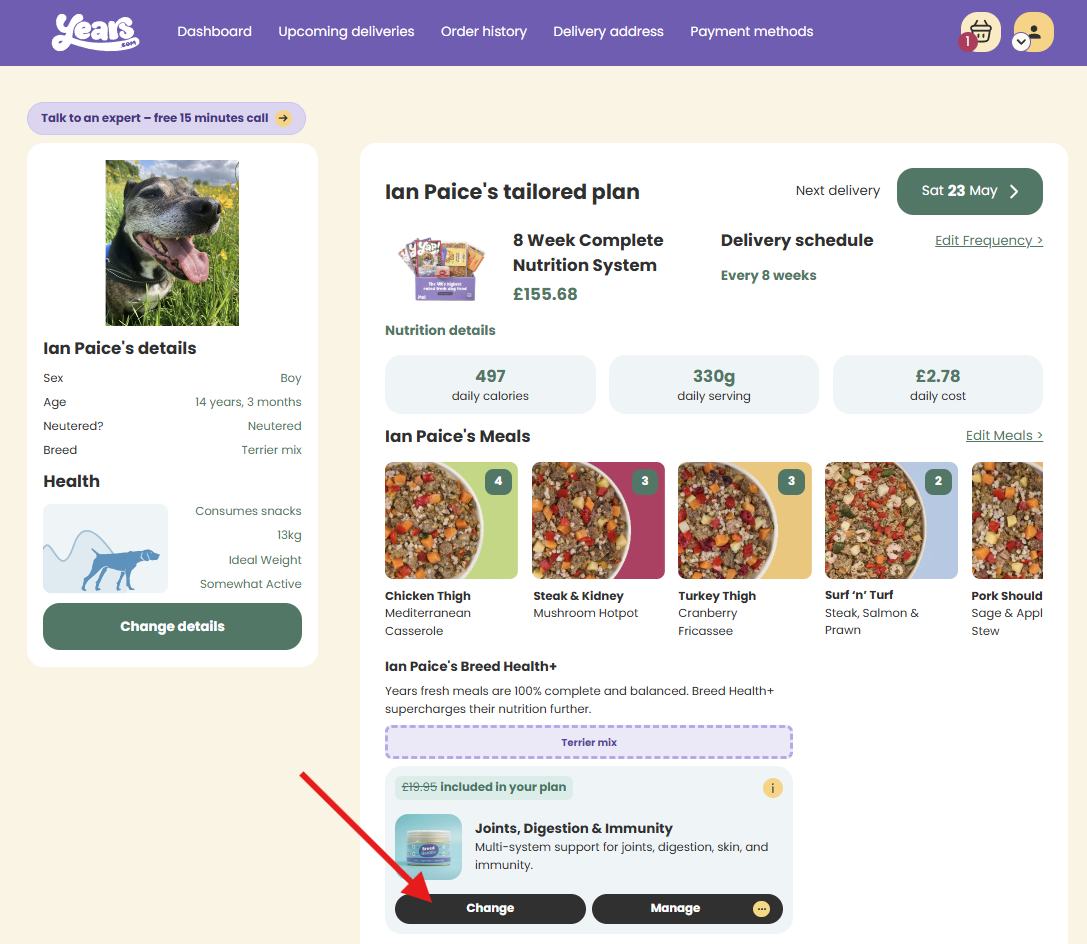
- 📋 Scroll to the Breed Health+ section, just beneath your dog's recipe selection
- 👆 Select Change to browse the full range of supplements
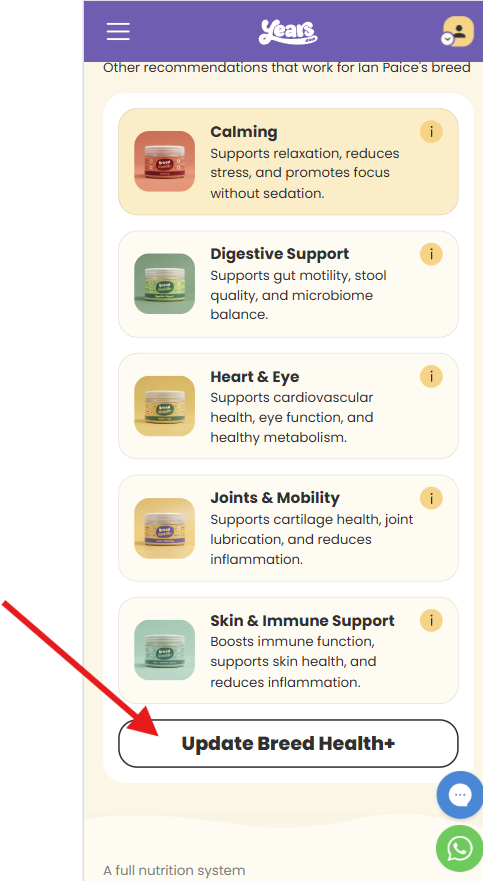
- ✅ Choose the one you'd like, then hit Update Breed Health+ at the bottom to lock in your choice
On a mobile or tablet it looks like this ⬇️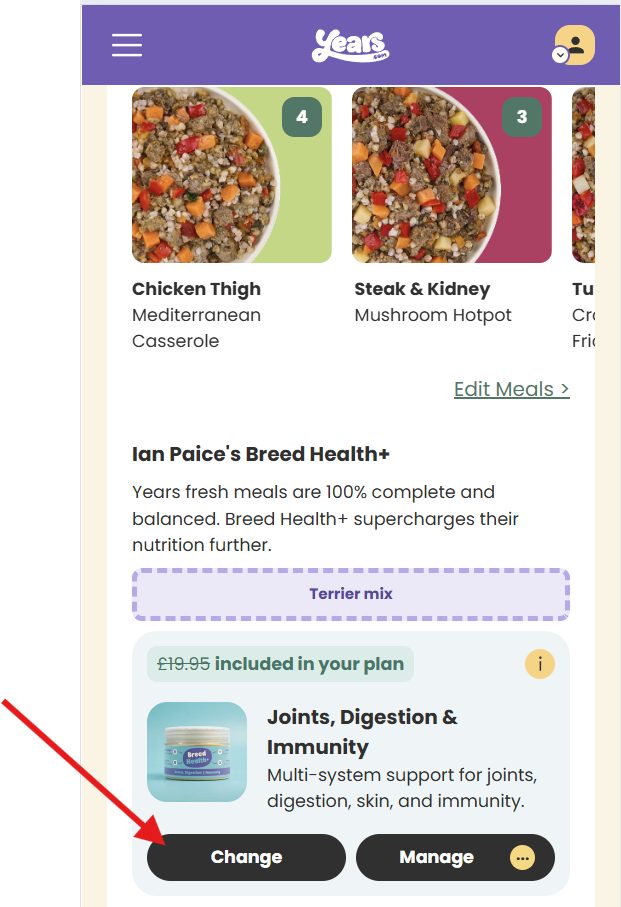
And here's how it appears on a laptop ⬇️
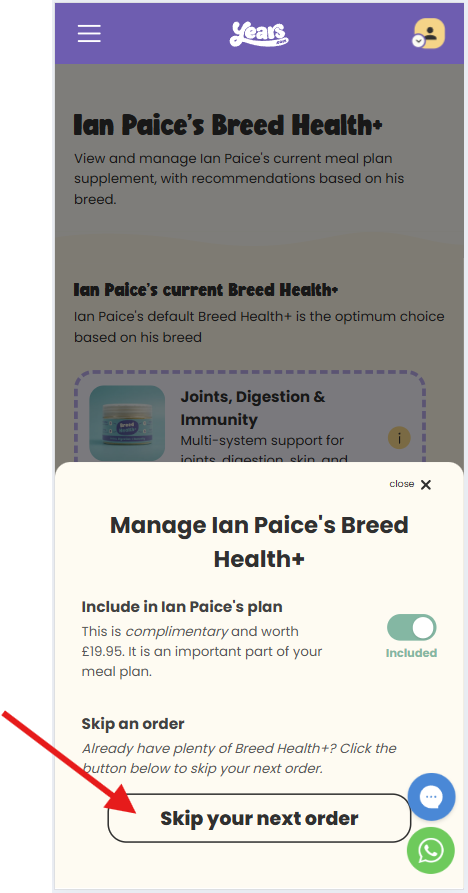
⏭ How to Skip Your Next Supplement
Rather skip it for one order? No problem:
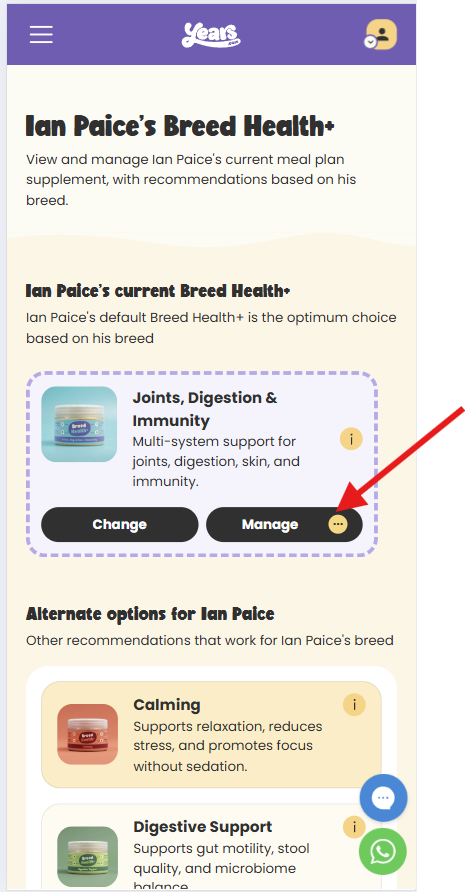
- 👆 Select Manage in the Breed Health+ section
- ⏭ Choose the option to skip your next order
- ✅ Hit Update plan to confirm
🛑 How to Stop Your Supplement
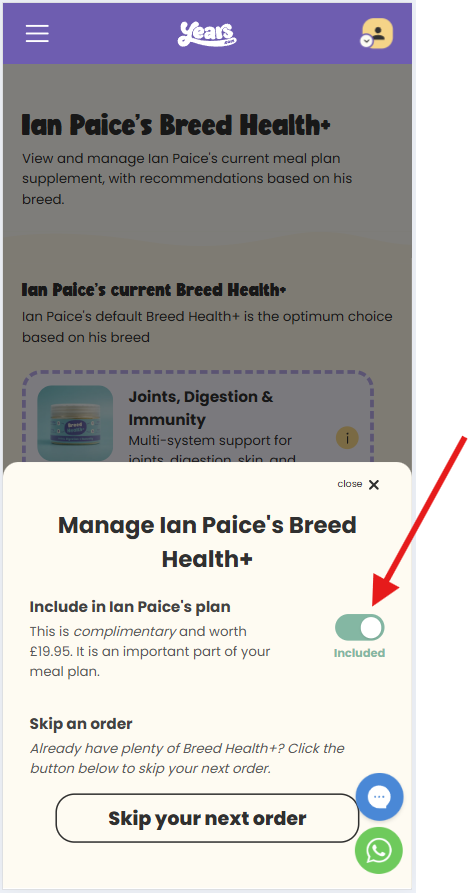
If you'd like to remove Breed Health+ from your subscription entirely:
- 👆 Select Manage in the Breed Health+ section
- 🔘 Toggle the switch from Included to Excluded
- ✅ Hit Update plan to save the change
⏰ One Thing to Keep in Mind
We need at least 3 days' notice before your next delivery for any changes to take effect. If your order is already being prepared, any updates you make will apply to your following order instead.