
How do I update my dog's details?Updated 19 days ago
🐾 How to Update Your Dog's Details
Keeping your pup’s profile up to date is quick and easy — and helps us tailor everything just right for them!
In your account, you can update your dog’s -
- Picture
- Gender
- Breed
- Age
- Neuter status
- Weight,
- Weight status,
- Activity level
- Allergies and health conditions
First, Log into your account.
On laptop/Mac/tablet:
Your dog's profile is visible on the left-hand side. Select Edit his/her info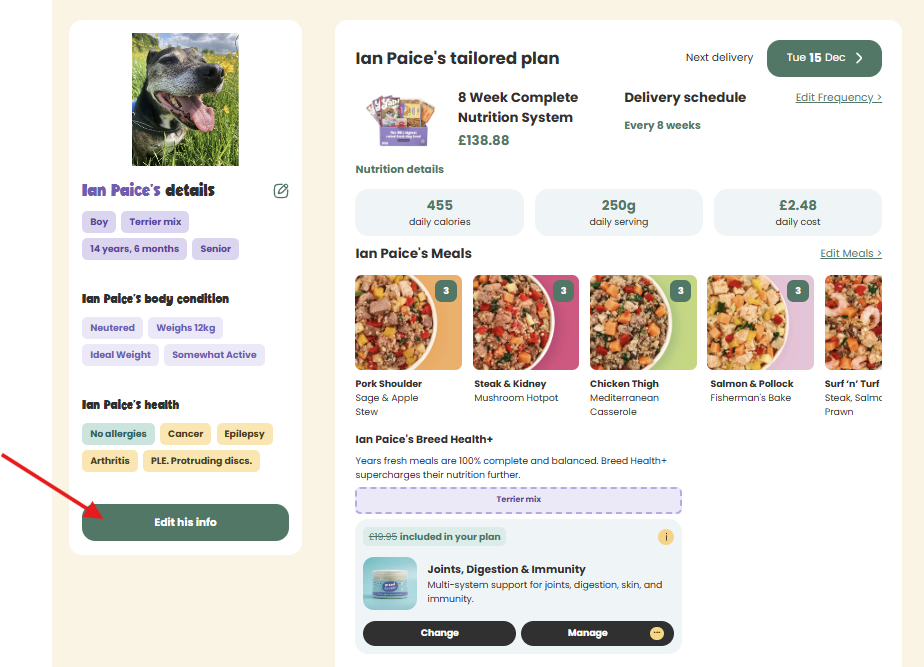
You can now select any of your dog's details and update them. Just select Save when you've finished. 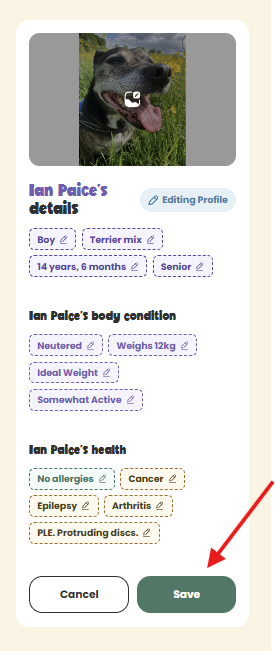
On mobile: First select Your dog, then follow the above steps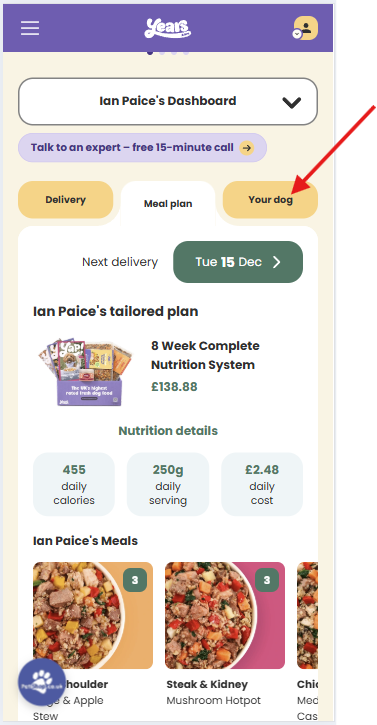
Make sure you select Save Changes when you're finished. 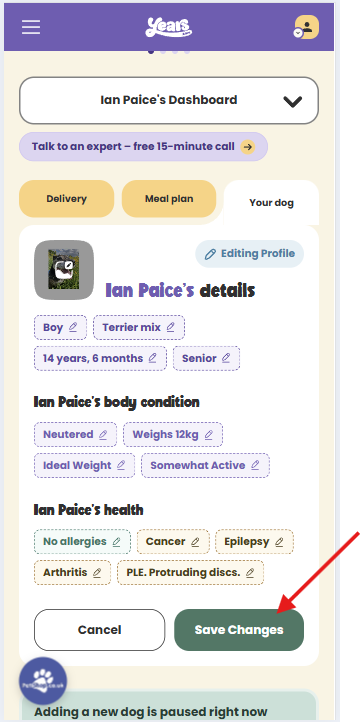
If you have any questions, or if you got stuck, please contact us.