
Managing Your Breed Health+ SupplementUpdated 2 months ago
You’re always in control of what’s in your dog’s meal plan. If you want to add or remove your Breed Health+ supplement, you can do it yourself in just a few clicks — nice and simple.
How to add or remove your supplement
First, log into your account.
You'll see your dog's dashboard right away.
Simply scroll down until you see the 'Breed Health+ supplement' toggle button.
- Click the toggle to turn it off if you want to remove it from your plan
- Click the toggle again to turn it back on if you want to add it
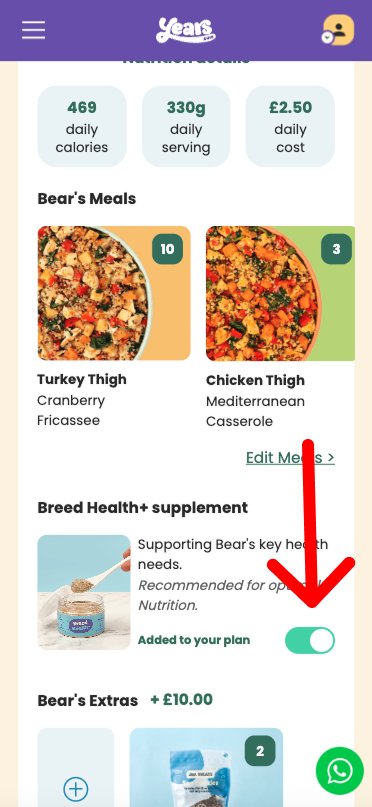 Mobile phone example screenshot
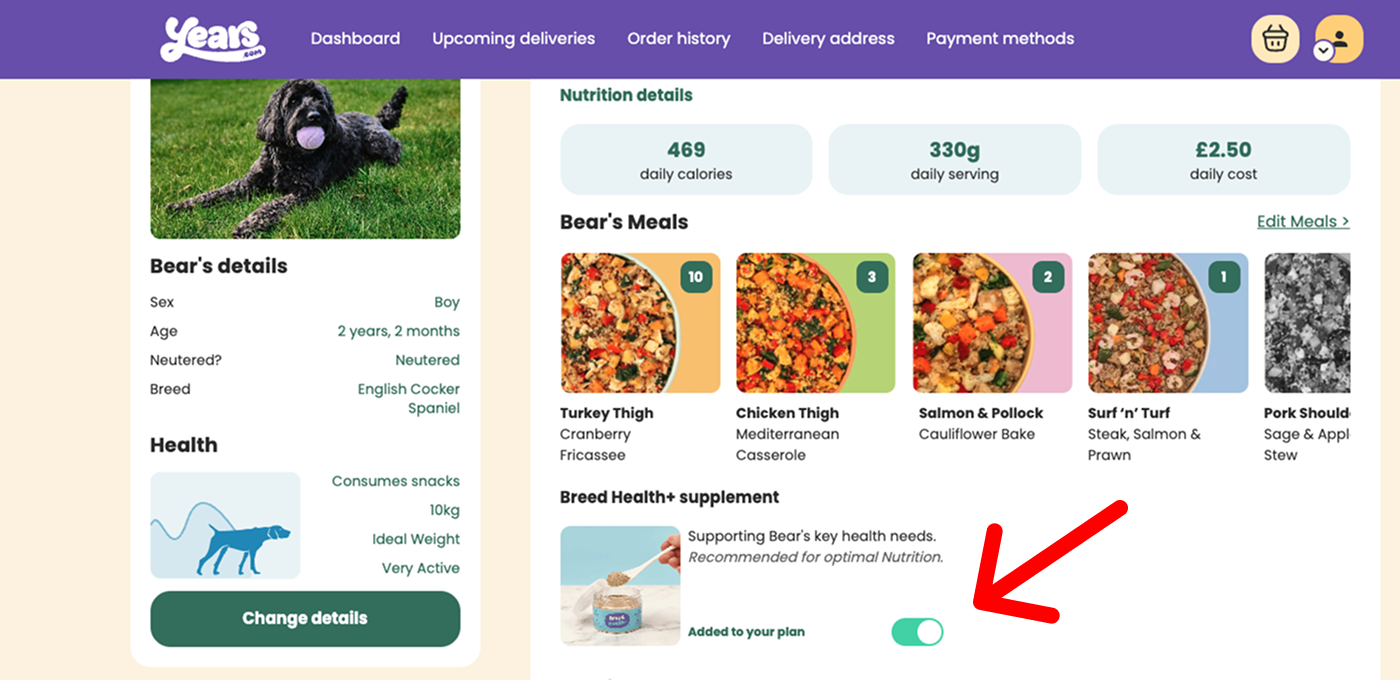 Desktop computer/laptop example screenshot
Important: We need three days' notice before a delivery for any changes to take effect. If an order is already in progress, any changes you make will apply to your next order.